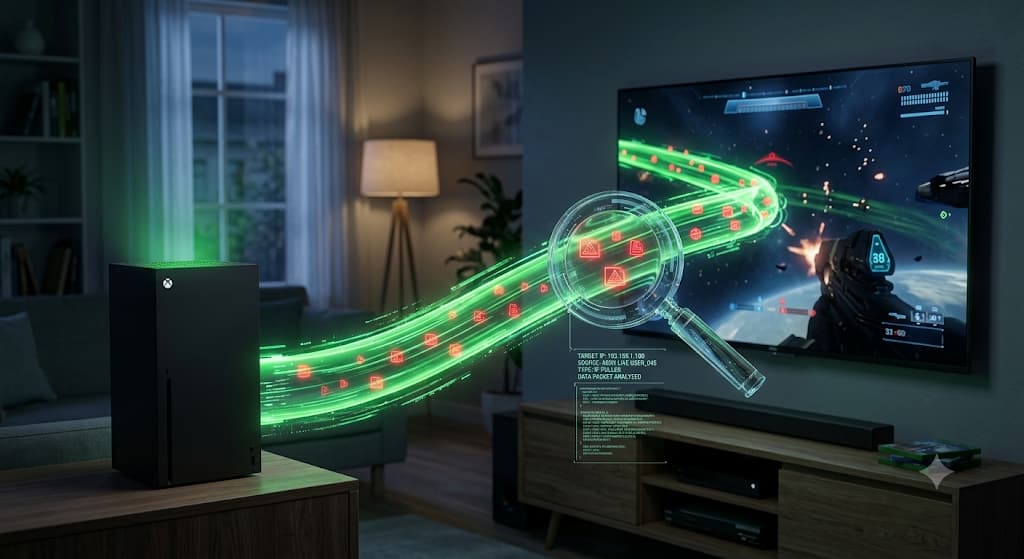
Ever been threatened offline by a toxic player on Xbox? Learn the secret technology behind Xbox IP Resolvers and Packet Sniffers, and discover the exact router-level settings you need to hide your true location and play safely in 2026.
The Ultimate Xbox IP Puller & Resolver Guide: How It Works & How to Protect Yourself (2026)
Author: TraceMyIPOnline Network Security Team Last Updated: August 2026 Reviewer: Certified Ethical Hacker (CEH) & Network Specialist Educational Disclaimer: This guide is strictly for educational and cybersecurity purposes. We do not condone or support DDoS attacks, network abuse, or illegal data tracking.
The world of competitive online gaming is thrilling, but it has a dark side. If you regularly play multiplayer games on Xbox Live, you might have encountered toxic players threatening to "boot you offline" or stating your real-world city.
How do they do this? They use tools commonly known as Xbox IP Pullers or Xbox IP Resolvers.
In 2026, despite Microsoft's massive upgrades to network security, millions of gamers in the US, UK, and globally remain vulnerable to IP tracking. This comprehensive guide will pull back the curtain on how these tools work, the difference between Gamertag databases and packet sniffing, and, most importantly, how you can secure your home network against these invasive tactics.
1. What is an Xbox IP Puller vs. an Xbox Resolver?
While many gamers use these terms interchangeably, they actually refer to two entirely different methods of extracting an IP address.
The Xbox IP Resolver (Database Lookup)
An Xbox IP Resolver is a web-based tool. It does not actively hack your console. Instead, it relies on massive, scraped databases. When you enter a player's Xbox Gamertag into a resolver website, the tool searches its database for any previously recorded IP address linked to that specific Gamertag.
- How data gets there: If a player ever joined a compromised third-party server, a leaked Skype database in the past, or an insecure community website using their Xbox credentials, their IP and Gamertag are logged and sold to these resolver databases.
- Accuracy: Often low. Because ISPs change dynamic IP addresses frequently, a resolved IP might be months or years out of date.
The Xbox IP Puller (Packet Sniffing)
An IP Puller is much more dangerous and accurate. This is a local network tool (like Wireshark or Cain & Abel) that a hacker runs on their own PC while playing in the same lobby or Party Chat as you.
- The Mechanism: It intercepts and "sniffs" the network data packets traveling between your Xbox and the host server.
- Accuracy: 100%. Because it pulls the IP in real-time from the active game connection, it always grabs your current, true IP address.
2. The Technical Flaw: Why Does Xbox Leak IPs?
You might wonder why a multi-billion-dollar company like Microsoft allows this. The answer lies in network architecture: Peer-to-Peer (P2P) vs. Dedicated Servers.
The P2P Vulnerability (Legacy Games & Voice Chat)
In a P2P network, there is no central server. Instead, one player's console acts as the "Host," and all other players connect directly to that Host's home router. If a hacker is the Host (or is simply in the lobby monitoring traffic), your Xbox must send its IP address directly to them to maintain the game connection. Older games (like classic Call of Duty titles) and traditional Xbox Party Chats historically relied heavily on P2P connections, making them a goldmine for IP pullers.
The Dedicated Server Shift
Modern games (like Warzone, Fortnite, and Halo Infinite) use Dedicated Servers. Your Xbox connects to a central Microsoft or Publisher server, and the server connects to the other players. In this setup, the hacker only sees the IP address of the central server, keeping your home network safe. However, if a game's dedicated server crashes, it may seamlessly downgrade the lobby to a P2P connection as a backup, instantly exposing everyone's IP.
3. The Consequences of an Exposed Xbox IP
When a malicious user successfully pulls your IP address, the threats go beyond basic trash talk.
- DDoS Attacks (Distributed Denial of Service): The attacker uses a botnet (a network of hijacked computers) to flood your home router with junk data. This overwhelms your bandwidth, instantly disconnecting you from Xbox Live and shutting down the internet for your entire house.
- Geolocation Tracking: Using tools like TraceMyIPOnline, attackers can pinpoint your IP's geolocation. While it won't give them your exact street address, it will reveal your city, state, and Internet Service Provider (ISP), which they use for intimidation.
- Swatting & Doxxing Risks: If your IP is linked to other online profiles, dedicated attackers can use Open Source Intelligence (OSINT) to find your real identity.
4. Step-by-Step Defense: How to Hide Your IP on Xbox
Now that you know how the attackers operate, it is time to build your defense. You cannot install a VPN directly onto an Xbox console, but you can secure the connection at the source.
Method 1: The Router-Level VPN (Ultimate Protection)
The most foolproof way to stop an IP puller is to run your entire gaming network through a Virtual Private Network.
- Purchase a VPN-Compatible Router: Brands like ASUS or Netgear often support OpenVPN configurations natively.
- Install the VPN Profile: Log into your router's admin panel (usually 192.168.1.1) and input your premium VPN details.
- The Result: When an IP puller intercepts your packets, they will only see the IP address of the VPN server in another city or country. If they attempt a DDoS attack, it hits the VPN's enterprise-grade firewalls, leaving your home internet completely unaffected.
Method 2: PC to Xbox Connection Sharing
If you don't have a VPN router, you can use your PC as a secure middleman.
- Install a premium VPN on your Windows PC.
- Connect your Xbox to your PC using an Ethernet cable.
- On your PC, go to Network & Internet Settings > Change adapter options.
- Right-click your VPN adapter, select Properties, go to the Sharing tab.
- Check "Allow other network users to connect through this computer's internet connection" and select your Ethernet port. Your Xbox is now masked.
Method 3: Behavioral Protection on Xbox Live
- Never join random Party Chats: Hackers frequently invite opposing players to Xbox Party Chats specifically to force a P2P connection and pull their IP. Keep your party settings to "Friends Only."
- Clear your Gamertag History: If your IP is already in a database, change your Gamertag. While costly, it breaks the link in outdated resolver databases.
- Request an IP Change from your ISP: If you are actively being DDoS'd, unplug your router for 10-15 minutes. Many ISPs use dynamic IPs, and restarting the router forces a new, clean IP address to be assigned.
5. Frequently Asked Questions (FAQ)
Q: Can someone find my exact house address from my Xbox IP? A: No. An IP address only provides general geolocation data, typically narrowing it down to your city or zip code level. Only your ISP has the legal record matching your IP to your physical address, which requires a police warrant to access.
Q: Is it illegal to pull an IP address on Xbox? A: Packet sniffing your own network traffic is technically legal, but using that pulled IP address to launch a DDoS attack or harass another person is a federal cybercrime in the US (Computer Fraud and Abuse Act) and the UK.
Q: Do free VPNs protect my Xbox? A: Avoid free VPNs for gaming. They have low data caps, high latency (lag), and many actually log and sell your data. A premium VPN is required for the speeds necessary for online gaming.
Conclusion
As long as Peer-to-Peer networking exists in legacy games or voice chats, Xbox IP Pullers will remain a threat. By understanding how your Gamertag links to your network data, avoiding untrusted Party Chats, and implementing a router-level VPN, you can take back control of your privacy. Stay safe on the digital battlefield.