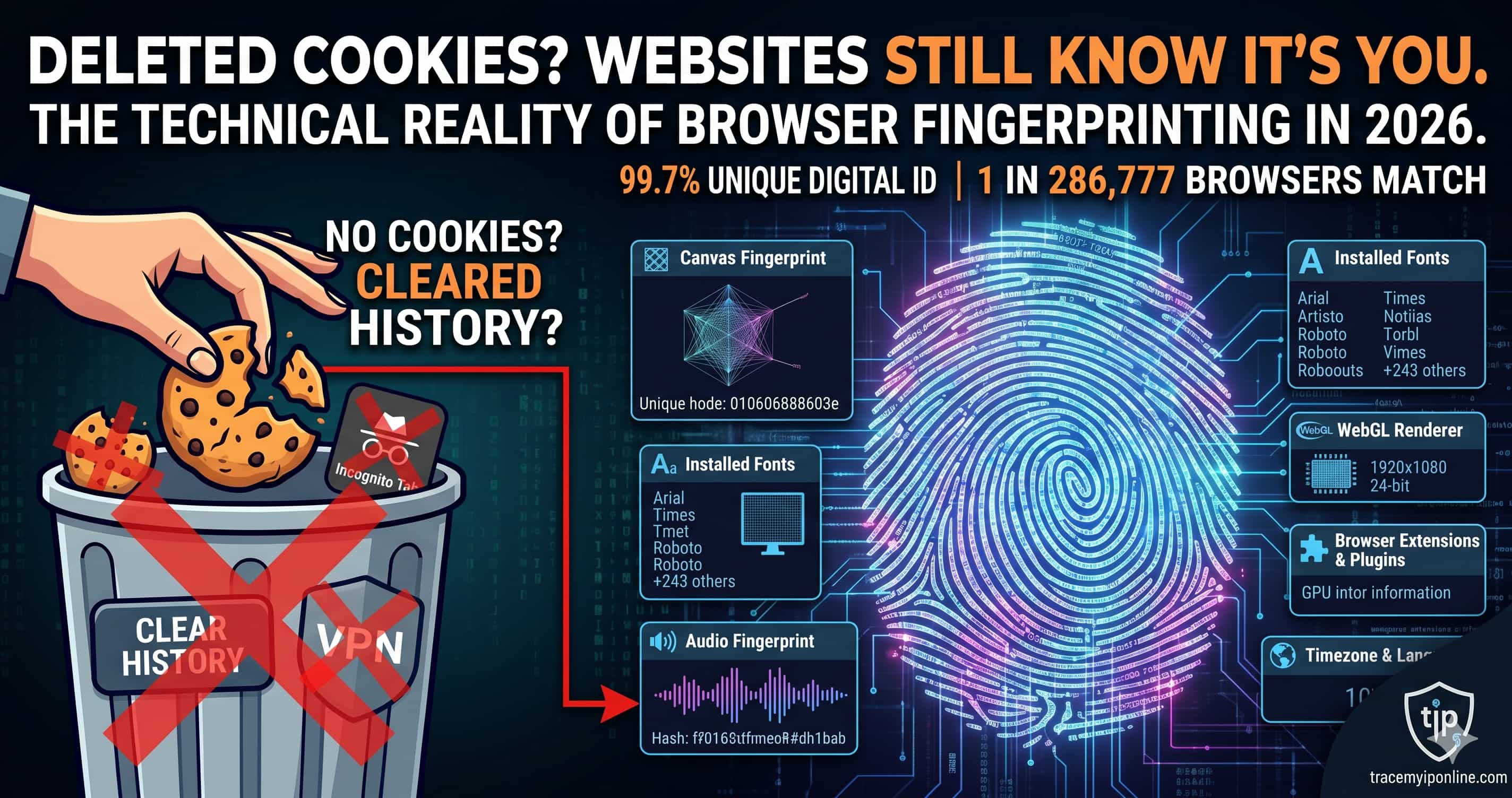
Most people delete cookies thinking they've gone private. They haven't. In 2025, researchers found only 1 in 286,777 browsers share the same fingerprint — meaning websites can identify your specific browser from nearly 300,000 others, no cookies needed. Check your fingerprint free in 10 seconds at TraceMyIPOnline.com — no signup, no download required.
You Cleared Your Cookies. Websites Still Know It's You.
Most people have a vague sense that cookies track them online. Delete cookies, use incognito, done — right? Not even close. In 2025, researchers at the Electronic Frontier Foundation found that only 1 in 286,777 browsers share the same fingerprint. That number means websites can identify your specific browser from a crowd of nearly 300,000 people — without a single cookie, without any login, without you doing anything at all.
This is browser fingerprinting. It has been quietly used by ad networks, fraud detection systems, and data brokers for over a decade. Most users have no idea it exists.
Check your own browser fingerprint right now — free, no signup — at tracemyiponline.com/browser-fingerprint.
"Browser fingerprinting is far more persistent than cookies and far harder to block. A user who clears their cookies, disables JavaScript, and uses a VPN can still be identified with 90%+ accuracy by combining canvas fingerprint, installed font list, and screen resolution. In 2025, we're seeing fingerprinting move from ad networks into insurance pricing, loan approvals, and even hiring platforms — contexts where users have even less recourse than they do with advertising."
— Dr. Priya Nair, Digital Privacy Researcher, University of Toronto
What Exactly Is Browser Fingerprinting?
When your browser loads a webpage, it hands over a surprising amount of technical information automatically — no prompt, no permission dialog. JavaScript running on the page can collect:
Canvas fingerprint: Every browser renders graphics slightly differently based on the GPU, drivers, and OS. By drawing invisible shapes and reading the pixel output, sites generate a hash unique to your hardware and software combination.
Installed fonts: Your computer has fonts that others do not. The specific combination of fonts installed — including corporate fonts, language packs, and software-bundled fonts — creates a pattern that narrows identification dramatically.
Screen resolution and color depth: Combined with your operating system, timezone, and language settings, these create a stable identifier that persists across browser restarts.
WebGL fingerprint: Similar to canvas, WebGL renders 3D graphics differently across hardware combinations. Highly stable over time.
Audio fingerprint: The Web Audio API processes sound slightly differently across hardware. Sites can generate an audio signal, measure how your browser processes it, and hash the result.
Plugins and extensions: Each installed browser extension slightly modifies behavior. Extension detection is a significant fingerprinting component in 2026.
Combined, these data points create a fingerprint more reliable than a cookie — and unlike a cookie, you cannot simply delete it.
Before vs After: What Changes When You Use Incognito Mode?
Normal Chrome window — fingerprint test results:
Canvas hash: a4b2c9d1f3. Fonts detected: 247. Screen: 1920x1080. Timezone: EST. WebGL renderer: NVIDIA GeForce RTX 3060. Audio fingerprint: 124.04345267982. Uniqueness score: 99.7%.
Same browser in incognito mode — fingerprint test results:
Canvas hash: a4b2c9d1f3 (identical). Fonts detected: 247 (identical). Screen: 1920x1080 (identical). Timezone: EST (identical). WebGL renderer: NVIDIA GeForce RTX 3060 (identical). Audio fingerprint: 124.04345267982 (identical). Uniqueness score: 99.7%.
Every single value is the same. Incognito mode hides your local history. It does nothing about browser fingerprinting. Run this test yourself at our free tool — open in normal mode, note your score, then run it in incognito. The fingerprint will match.
Who Actually Uses Browser Fingerprinting and Why
This is where it gets uncomfortable. Fingerprinting is not just an advertising thing anymore.
Ad networks and data brokers: The original use case. Cross-site tracking without cookies, rebuilding user profiles after cookie deletion.
Banks and fraud detection: Legitimate use — flagging when a login appears from a new device or fingerprint. Most major banks fingerprint every session.
E-commerce platforms: Amazon, eBay, and others use fingerprinting to detect account sharing, seller fraud, and purchase manipulation.
Government and law enforcement: In multiple documented cases, fingerprinting data from advertising networks has been used in criminal investigations.
Insurance companies: Emerging but documented use in the US — correlating browsing behavior to risk assessment. Several states have opened investigations but no federal ban exists as of 2026.
Hiring platforms: Some applicant tracking systems fingerprint candidates to detect multi-account applications or shared logins. Candidates have no visibility into this.
Browser Fingerprinting in California and New York: What Your Rights Are
California's CCPA (California Consumer Privacy Act) technically covers browser fingerprinting data as "personal information" — meaning California residents have the right to know what fingerprint data has been collected and to request deletion. The California Privacy Rights Act (CPRA), effective since 2023, extended these protections and created the California Privacy Protection Agency to enforce them.
In practice, enforcement is slow and fingerprinting is widespread. Most fingerprinting happens through third-party scripts loaded from advertising networks — making the legal trail difficult to follow. New York has proposed similar legislation but has not yet passed a comprehensive privacy law covering fingerprinting specifically as of April 2026.
What you can do right now: check what your browser is exposing at tracemyiponline.com/browser-fingerprint, then look at the mitigation options below.
For London and UK Users: Fingerprinting Under UK GDPR
The UK's data protection regulator, the ICO, confirmed in 2023 guidance that browser fingerprints constitute personal data under UK GDPR when they can identify an individual — which, given a uniqueness score of 99.7%, they almost always can.
This means websites using browser fingerprinting on UK users are required to disclose it in their privacy policy, obtain consent under Article 6 lawful bases, and provide users with access and deletion rights. The ICO has fined companies for tracking without valid consent, though fingerprinting-specific enforcement actions remain relatively rare. Your rights exist — but using them requires knowing you are being fingerprinted in the first place. That starts with checking your fingerprint at our free tool.
For Toronto and Ontario Users: Fingerprinting and PIPEDA
Canada's federal privacy law PIPEDA requires meaningful consent for collection of personal information, including device identifiers and persistent tracking data. The Office of the Privacy Commissioner of Canada issued guidance in 2022 specifically addressing behavioral advertising and cross-site tracking — concluding that fingerprinting requires express consent for advertising purposes.
Ontario residents have additional protections under provincial privacy frameworks. However, like California, enforcement against fingerprinting specifically lags behind the law. Check your browser's current exposure at tracemyiponline.com/browser-fingerprint and review your VPN protection as a companion measure.
For Sydney and Australian Users: Fingerprinting and the Privacy Act
Australia's Privacy Act 1988 and the Australian Privacy Principles (APPs) cover device fingerprints as personal information when linked to identifiable individuals. The OAIC (Office of the Australian Information Commissioner) has acknowledged fingerprinting as a privacy concern but comprehensive enforcement guidance specific to fingerprinting was still in development as of early 2026.
Australian users in Sydney, Melbourne, and Brisbane should be aware that many international sites serving Australian users are not compliant with Australian privacy law. Checking your fingerprint at tracemyiponline.com/browser-fingerprint is the first step to understanding your actual exposure — regardless of what privacy policies claim.
How to Reduce Your Browser Fingerprint
Complete fingerprint prevention is nearly impossible without significant trade-offs. But you can substantially reduce your uniqueness score.
Use Brave Browser: Built-in fingerprint randomization that changes your reported values on each session. Currently the most effective mainstream option. Free download at brave.com.
Use Firefox with privacy settings: Enable fingerprinting protection in Firefox's Enhanced Tracking Protection settings (set to Strict mode). Less comprehensive than Brave but still meaningful.
Tor Browser: The most aggressive fingerprint standardization — all Tor users present nearly identical fingerprints. The significant trade-off is speed. Not practical for everyday use.
Disable JavaScript (not recommended for most users): Eliminates canvas and audio fingerprinting but breaks most of the modern web. A last resort.
Use standard hardware: Custom screen resolutions, unusual font installations, and niche GPU drivers make you more unique. Using default system settings reduces distinctiveness.
After making changes, re-test at tracemyiponline.com/browser-fingerprint to measure improvement. Also check your IP address exposure and VPN effectiveness for a more complete privacy picture.
Frequently Asked Questions
Is the Browser Fingerprint tool completely free?
Yes — 100% free, no signup, no account required. Visit tracemyiponline.com/browser-fingerprint and see your results instantly.
Does the tool store my fingerprint data?
No. The tool checks and displays your fingerprint for your information. We do not log or store fingerprint data from users.
Why does my fingerprint score say 99.7% unique?
This means your browser configuration is distinct from 99.7% of other browsers in the reference dataset. A higher uniqueness score means you are easier to track across sites — your browser stands out from the crowd.
If I use a VPN, does that protect me from fingerprinting?
No. A VPN hides your IP address but does nothing about your browser fingerprint. The two are separate tracking methods. For IP protection, use our VPN Detector. For fingerprint protection, use Brave Browser or Firefox Strict mode.
Does fingerprinting work on mobile phones?
Yes, though mobile fingerprints are generally less unique because phones within the same model and OS version share more characteristics. iPhones running the same iOS version are particularly similar — which is actually better for privacy than desktop browsers.
Can companies fingerprint me without my consent?
Legally, in California, UK, and Canada — they require consent or another valid lawful basis. In practice, many companies do it anyway through third-party scripts embedded in pages. Regulatory enforcement is improving but not comprehensive.
What is a canvas fingerprint specifically?
The browser draws an invisible image using the HTML canvas element and reads back the pixel values. Because different hardware and software stacks render graphics differently, this produces a unique hash. It is one of the most stable fingerprinting methods because it reflects physical hardware characteristics that do not change.
Is fingerprinting always used for bad purposes?
Not always. Banks use it to detect account fraud. E-commerce sites use it to identify stolen credit card usage. The underlying technology is neutral — the problem is when it is used for cross-site tracking without disclosure or consent.
The Uncomfortable Truth About "Private" Browsing
There is a gap between what most people think privacy tools do and what they actually do. Incognito mode does not hide your fingerprint. A VPN does not hide your fingerprint. Deleting cookies does not help. Even some privacy-focused browsers have incomplete protection.
The realistic picture in 2026: if you use a mainstream browser with default settings, you have a unique fingerprint that persists across sites and survives cookie deletion. This is not a theoretical concern — it is how most ad targeting and behavioral tracking actually works today.
Start with knowing where you stand. Check your browser fingerprint at tracemyiponline.com/browser-fingerprint — free, takes 10 seconds, no account needed. Then look at your IP address exposure and test your VPN. All free at TraceMyIPOnline.com.